
XLOGIC®
Policies that work. Controls that are actually enforced.
XLOGIC® converts governance frameworks, policies, and controls into structured, enforceable workflows, so compliance is built into how work gets done, not bolted on afterwards through audits.
What is XLOGIC®?
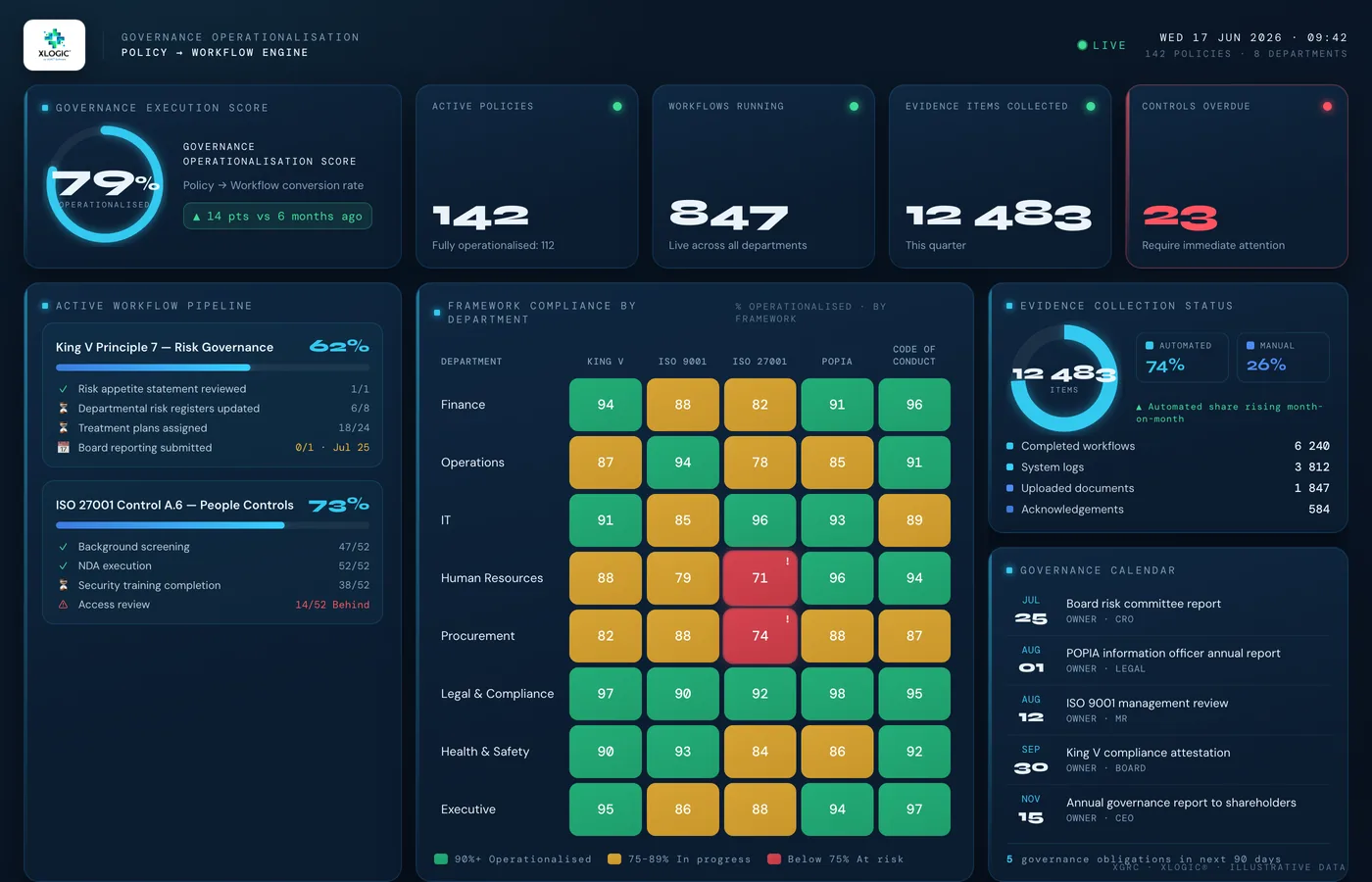
XLOGIC® is a governance execution solution within XGRC® Software that converts policies, frameworks, controls and obligations into structured workflows with accountability, evidence capture and auditability.
Organisations typically adopt XLOGIC® when policies are approved and filed but never operationalised, governance frameworks are documented at board level but disconnected from daily operations, and compliance evidence is gathered reactively only once an audit is announced.
What breaks without XLOGIC®.
Policies approved and filed, never operationalised
Documents are published. Employees are notified. Controls are never implemented. The gap between policy and practice grows with every update.
Frameworks defined at board level, disconnected from operations
Governance structures documented in reports. Day-to-day operations run on institutional knowledge, habit, and workarounds.
Evidence collected reactively
Compliance evidence gathered when an audit is announced, not continuously as work is performed. Evidence quality reflects urgency, not accuracy.
Controls that exist on paper only
Internal audit reveals controls that are documented but not operating effectively. Management responses are familiar words.
How XLOGIC® works.
XLOGIC® is the governance execution layer. It takes the policies, frameworks, and controls defined in XGRC® and converts them into structured workflows with accountability, evidence capture, and continuous compliance monitoring built in.
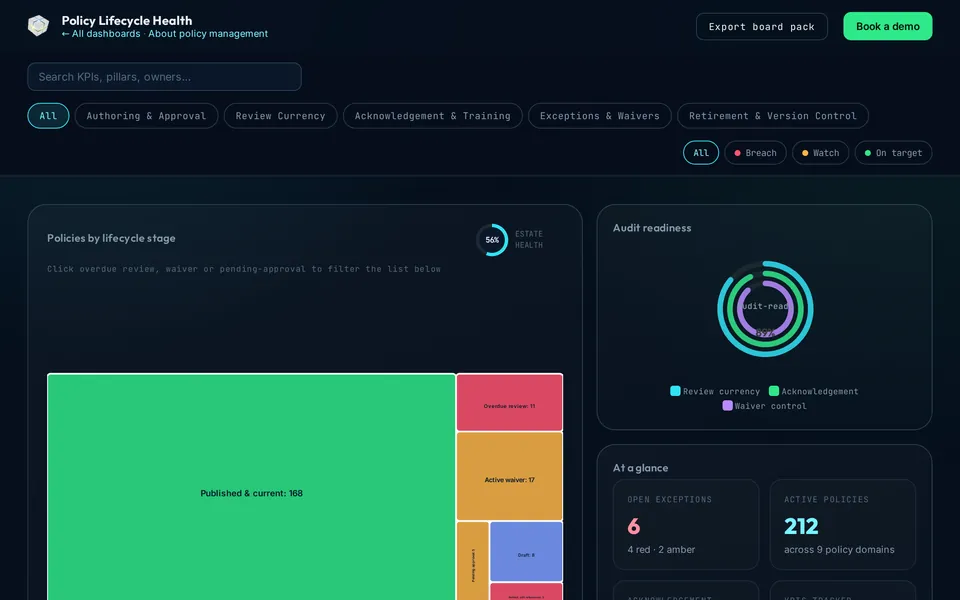
See it in action →See XLOGIC® running.
An interactive demonstration dashboard with fictitious data. Filter it, open any KPI to see how it is calculated, and export a board pack.
Everything in XLOGIC®.
Core capabilities are configured to your requirements, with the flexibility to expand as your needs grow.
Policy Operationalisation
Evidence & Compliance
Governance Architecture
XLOGIC® keeps shipping.
What teams use XLOGIC® for.
Each use case explains the problem, the standards and regulations involved, and how XLOGIC® handles it in practice.
XLOGIC® is stronger on the platform.
Every XGRC® solution shares the same data foundation. When XLOGIC® is combined with other solutions, risk, compliance, assurance, and governance data flows without duplication.
 Management system
 MSX®
A flexible, integrated hub that unifies multiple XGRC® disciplines into one coordinated management system.
Explore → Risk
Risk Enterprise Risk Management
A structured, auditable approach to enterprise, operational, and project risk aligned to ISO 31000 and COSO.
Explore → Assurance
 Integrated Assurance
Coordination of internal audit and combined assurance, linked directly to risks, controls, and actions.
Explore →What XLOGIC® is not.
XLOGIC® is not a document repository. It helps organisations operationalise governance by linking policies, controls and obligations to real work, accountability and evidence, so compliance is built into how work gets done, not filed away after the fact.
Common questions.
01How is XLOGIC® different from a document management system?
A document system stores policies. XLOGIC® converts them into structured, assigned, trackable workflows with continuous evidence capture, the difference between filing a policy and operationalising it.
02Which frameworks does XLOGIC® support?
XLOGIC® supports King V, ISO 9001, ISO 27001 and COSO-aligned governance structures.
03Can XLOGIC® show whether a control is actually working?
Yes. Control effectiveness tracking and continuous evidence collection show whether controls operate in practice, not just whether they're documented.
04Do we need MSX® to use XLOGIC®?
No. XLOGIC® runs independently and connects to MSX®, ERM and Integrated Assurance where organisations use those solutions too.
See XLOGIC® running in your environment.
Talk to an XGRC® specialist about how XLOGIC® fits your organisation's specific compliance and governance requirements.
[email protected] · +27 (0)87 802 0179