
A risk register template only gets you so far. Excel breaks the moment more than one person owns it.
Most organisations start their risk register in a spreadsheet. It works until a second risk owner edits it, a rating changes with no record of why, or the board asks for a rollup that takes three days to compile. This checklist sets out the fields and structure a risk register actually needs — the same structure XGRC® ERM runs live, with an audit trail built in.
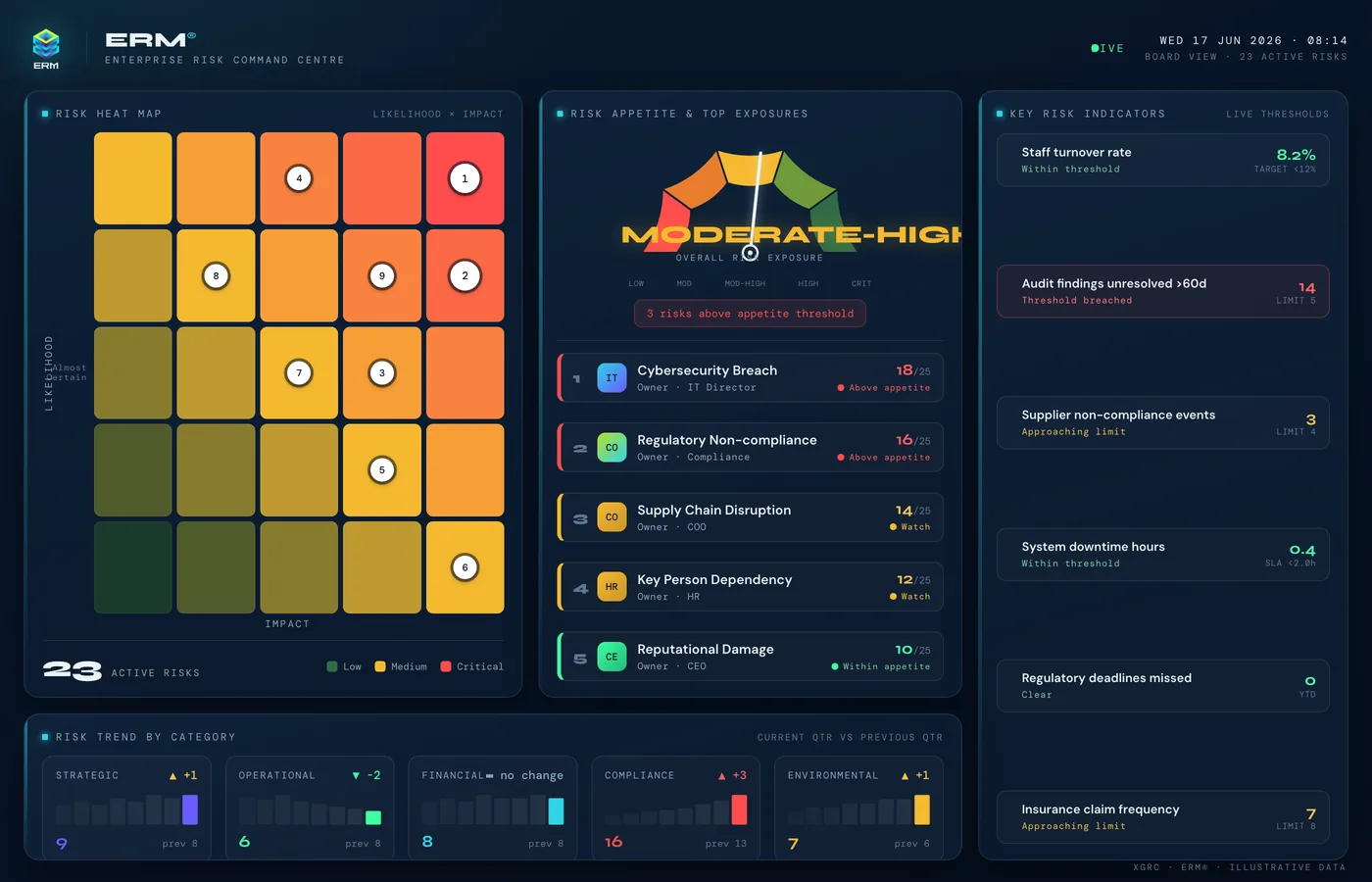
A spreadsheet risk register works right up until it does not.
A risk register in Excel is fine for one person, once. It stops working the moment a second risk owner needs to edit it, a rating needs to change with a record of why, or leadership needs a current view instead of last quarter's export.
-
One risk register file per business unit, no single source of truth
-
Version conflicts the moment more than one risk owner edits it
-
No record of when a rating changed, who changed it, or why
-
Risk register disconnected from the controls and actions meant to treat it
The fields and structure a risk register actually needs.
- 01
Define one field set for every risk: description, category, owner, likelihood, impact, existing controls, treatment plan, status, and next review date
- 02
Agree a single consistent scoring scale before the first risk is logged, not after inconsistent ratings pile up
- 03
Assign a named individual as owner for every risk — never a department
- 04
Link each risk to the controls already in place and to any treatment action still open
- 05
Set a review cadence per risk and enforce it structurally, not with a reminder email
- 06
Give leadership a live rollup they can check any time, not a document someone compiles before the meeting
The same structure, running as a live system.
- A central risk register with a consistent field set and categorisation across the whole organisation
- Configurable likelihood/impact scoring and risk appetite thresholds, applied the same way everywhere
- Every risk linked to its controls, its treatment plan, and any related audit finding
- Automatic escalation when a risk breaches its appetite threshold, instead of waiting for the next review
- A live board dashboard instead of a spreadsheet export
 Enterprise Risk Management
 The register, without the version conflicts
XGRC® ERM holds one risk register with a full audit trail — every rating change, every treatment update, every review is recorded against who made it and when. Risk owners work in the same live register instead of merging spreadsheet versions, and leadership sees current status without asking anyone to compile it.
The same fields you would put in a spreadsheet. None of the version conflicts.
Manual approach: One spreadsheet file, emailed around for edits
XGRC® approach: One live register, no file versions to reconcile
Manual approach: No record of who changed a rating or when
XGRC® approach: A full audit trail on every change
Manual approach: Risks tracked with no link to controls or actions
XGRC® approach: Every risk linked to its controls and treatment actions
Manual approach: A rollup someone compiles manually before the board meeting
XGRC® approach: A board dashboard that is already current
Risk Register Template & Field Checklist
- The core fields every risk register needs
- Scoring consistency before you log the first risk
- Ownership, controls and treatment linkage
- Review cadence and escalation
- What a spreadsheet register cannot do
Explore the connected platform.
Solution Enterprise Risk Management
Enterprise Risk Intelligence
Explore Enterprise Risk Management → Use Case Enterprise Risk Management
XGRC® provides a central ERM platform aligned to ISO 31000, COSO, and King V. Define your risk framework, identify and assess risks across all categories, link every risk to controls and audit findings, and report to the board with real-time visibility.
View use case → ISO Readiness ISO 31000 Risk Management
ISO 31000 is a guideline for managing risk, not a certifiable management system — there is no audit to pass. XGRC® helps organisations adopt and embed the ISO 31000 risk management process, from establishing context through risk assessment, treatment, and ongoing monitoring and review.
View use case → Use Case Risk Management
XGRC® is risk management software that lets organisations identify, assess and manage risks in a structured, consistent way. It connects risks to controls, actions and assurance activities on a single platform, giving clear visibility of risk exposure across the organisation.
View use case →Common questions.
01Is there a free risk register template I can just download?
This checklist sets out exactly which fields a working risk register needs — description, category, owner, likelihood, impact, controls, treatment and review date — so you can build one in a spreadsheet if that is genuinely all you need. Most organisations that reach for a template are already past the point where a spreadsheet holds up, which is the gap XGRC® ERM is built for.
02What is wrong with keeping a risk register in Excel?
Nothing, for one person, for a while. It breaks down once a second risk owner needs to edit it at the same time, a rating changes with no record of why, or leadership needs a current view rather than an export from three weeks ago.
03What fields does a proper risk register need?
At minimum: a description, category, named owner, likelihood and impact score, existing controls, treatment plan and status, and a scheduled review date. Every risk should also link to the controls and actions meant to treat it — a register without that link cannot show whether treatment is actually working.
04How is this different from the ISO 31000 checklist?
The ISO 31000 checklist covers the risk management process end to end — context, assessment, treatment, review. This one is narrower and more practical: the specific fields and structure a risk register itself needs to capture, whatever process sits around it.
See a live risk register instead of a template.
Book a demo to see the exact fields in this checklist running as a live, audit-trailed risk register in XGRC® ERM.
Where should we send your download link?
Enter your details and we will email you the link to the checklist.
Your checklist is ready.
Click the button below to download the PDF. We have also sent this link to your email.
Download the checklist (PDF)